News & Analysis
Listen before you choose: song previews come to the customizer
Hear a short preview while searching for music, then add the recording you want. The new controls keep listening separate from your track selection.
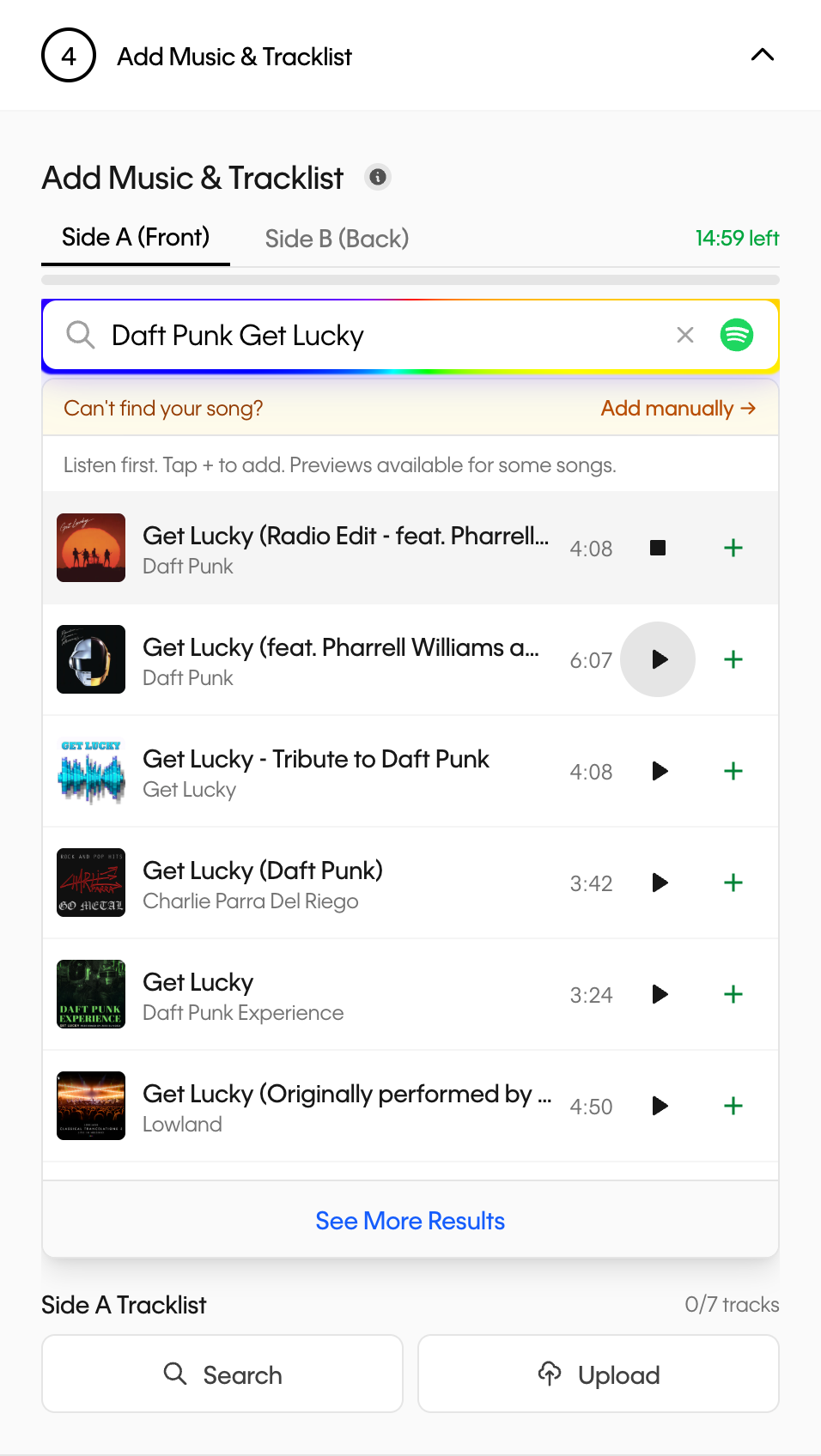
You remember the song. Finding the recording you remember can take a little longer. A search may return a live performance, a remaster and a studio version under much the same title.
The Vinyl Creatives customizer now includes short audio previews in music search, where the music provider makes them available. You can listen to a result before deciding whether it belongs on your record, without adding it to your selection first.
A small control, a separate decision
Playback starts only when you press a result’s play button. Press it again to stop, or play another result to switch recordings. Only one preview plays at a time.
The audio also stops when the playing result scrolls out of view, when you leave the customizer, or when you switch away from the browser tab. Nothing starts automatically as you browse.
Listening and selecting are separate actions. Playing a preview does not add a track, use a slot on your record or change your track order. Use the result’s add control when you are ready to include it.
How to try it
- Open the customizer and go to the music step.
- Search by song title and artist. Check the version and duration alongside the result.
- Press play on a result with a preview. Compare another recording if the first one is not the version you had in mind.
- Add your choice to the intended side, then review its place in the sequence.
What a preview can—and cannot—tell you
A preview is an excerpt, not the complete track. Some search results do not have one, and a preview can become unavailable. You can still select those results; use the artist, version and duration to check them carefully.
An excerpt can help you recognize a voice, arrangement or performance. It may not include the introduction, ending or passage you want to check. If two versions remain difficult to distinguish, listen to the complete recording through an authorized source before choosing.
The digital preview is not a demonstration of how your finished vinyl will sound, and preview availability does not establish permission to reproduce a recording.
Finish with the whole sequence
Once you have found the right versions, review both sides for order and running time. The existing track and time limits still apply. For your own recordings, the audio preparation guide covers the checks to make before uploading.
A recognizable song is a useful starting point. The right recording, in the right place, makes the selection yours.